In the iynk editor, open the page where you want your Instagram photos to appear.
Click the Gallery widget to add it to your page.
In the widget settings, click Connect Instagram.
Follow the login instructions in the pop-up window to link your account.
Once connected, your latest Instagram posts will automatically appear.
Click Publish to make it live on your site.
You can also use the gallery widget as a regular photo grid instead of linking Instagram. Just upload your own images. This is perfect if you’d rather feature a hand-picked selection of tattoos, flash, or healed work instead of your latest posts.
Keeping your gallery connected or curated helps your site stay active and visually engaging with minimal effort.
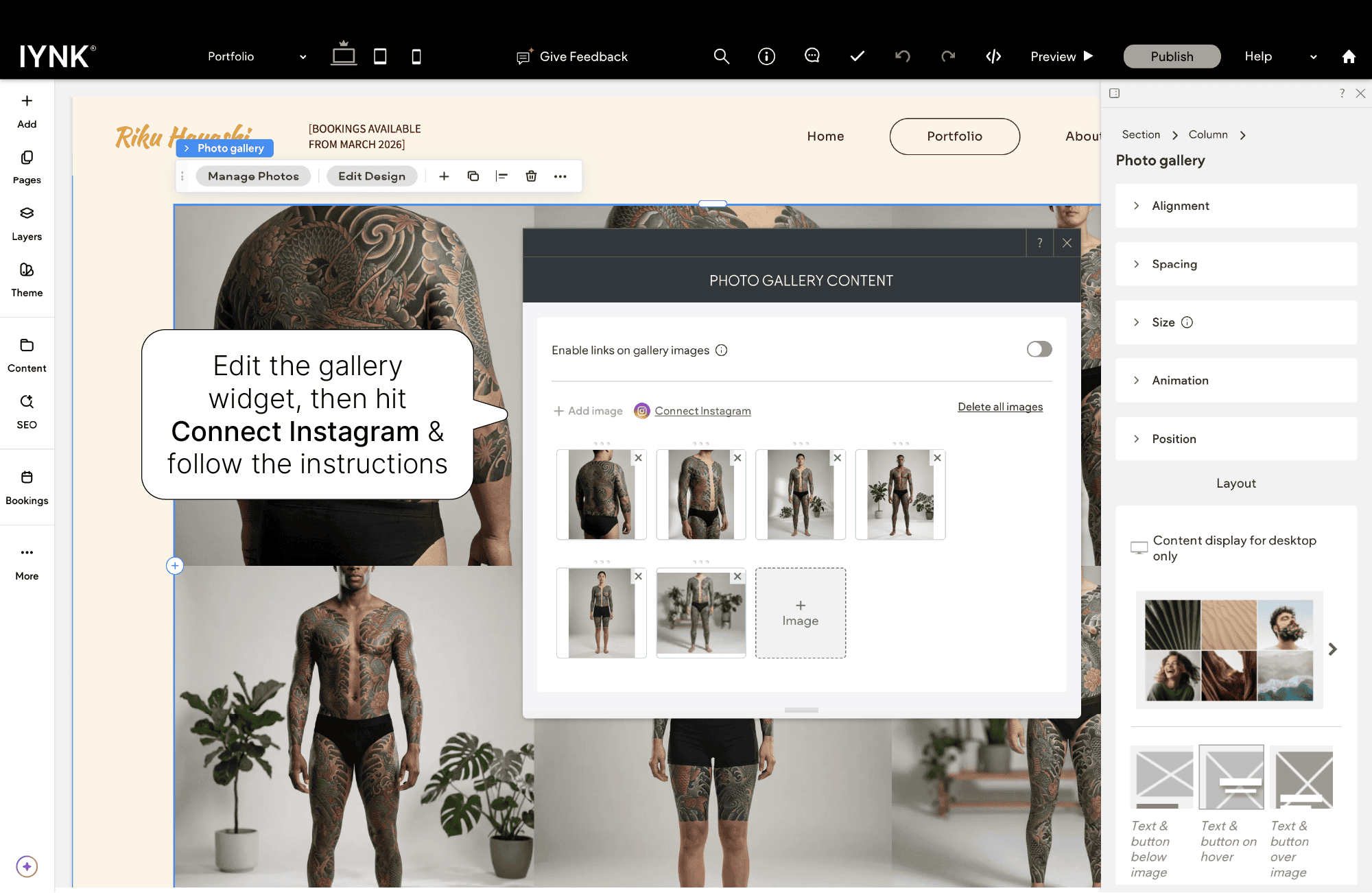
If your gallery ever disconnects (usually due to changes on Instagram’s side), just log back in and reconnect your account - it only takes a moment.
Keeping your Instagram connected ensures your gallery always shows your newest work without extra uploads.