Gmail groups emails with the same subject line into a single thread by default. Because booking enquiries and consent forms often use a consistent subject line, they may appear stacked together.
To stop this:
Open Gmail
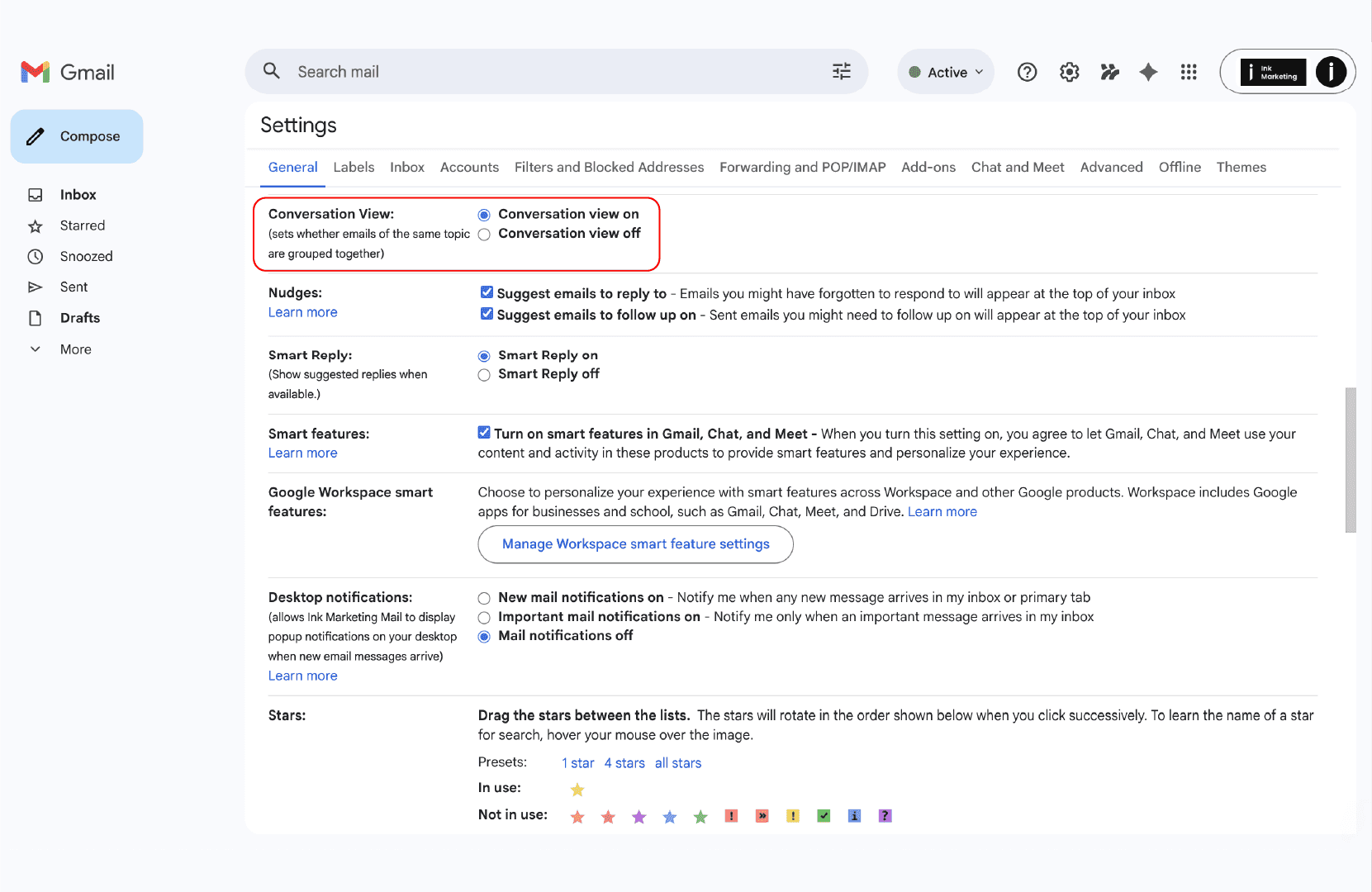
Click the settings cog (top right)
Click “See all settings”
Under the General tab
Find Conversation View
Select Conversation view off
Scroll down and click Save Changes
New booking enquiries and consent submissions will now appear as separate emails.
Outlook also groups emails into conversations when the subject line matches.
To disable this:
Open Outlook
Click the settings cog
Go to Mail
Click Layout
Find the conversation or message organisation settings
Turn off conversation grouping
Save your changes
Future enquiry form emails will now arrive individually.
If your booking enquiries or consent form submissions are still stacking after changing your inbox settings, or if you’re using a different email provider, we’re happy to help.
Email us at hello@iynk.io and we’ll guide you through the correct settings for your provider.