Your IYNK site includes a built-in commenting tool that lets you pinpoint anything you’re struggling with. Instead of trying to explain something by email or sending screenshots, you can click directly on the section you want help with and leave a note for us.
We’ll see your comment in the exact place you left it, reply to you there, and make any changes needed. This keeps feedback organised, avoids confusion, and makes updates much faster.
You can use comments for:
Content changes you’re unsure how to make
Styling adjustments you can’t find
Technical features you don’t understand
Sections you want added, removed or redesigned
Anything you want us to take over and fix
If something doesn’t look right or you can’t figure out which setting controls it — leave a comment and we’ll handle it.
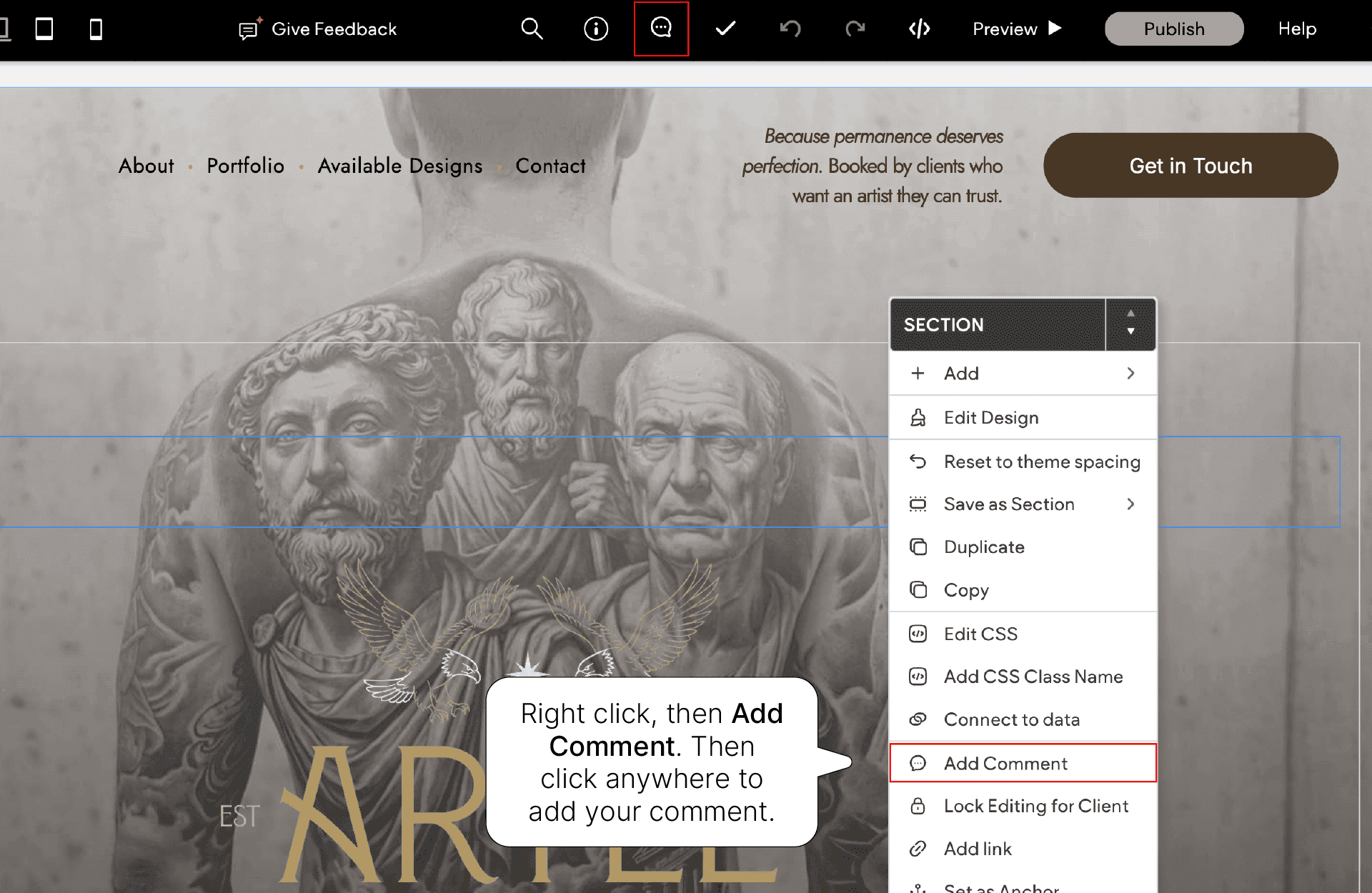
Leaving a comment is simple and takes a few seconds.
Click the Comments icon at the top of your site preview
Click directly on the part of the page you’re struggling with
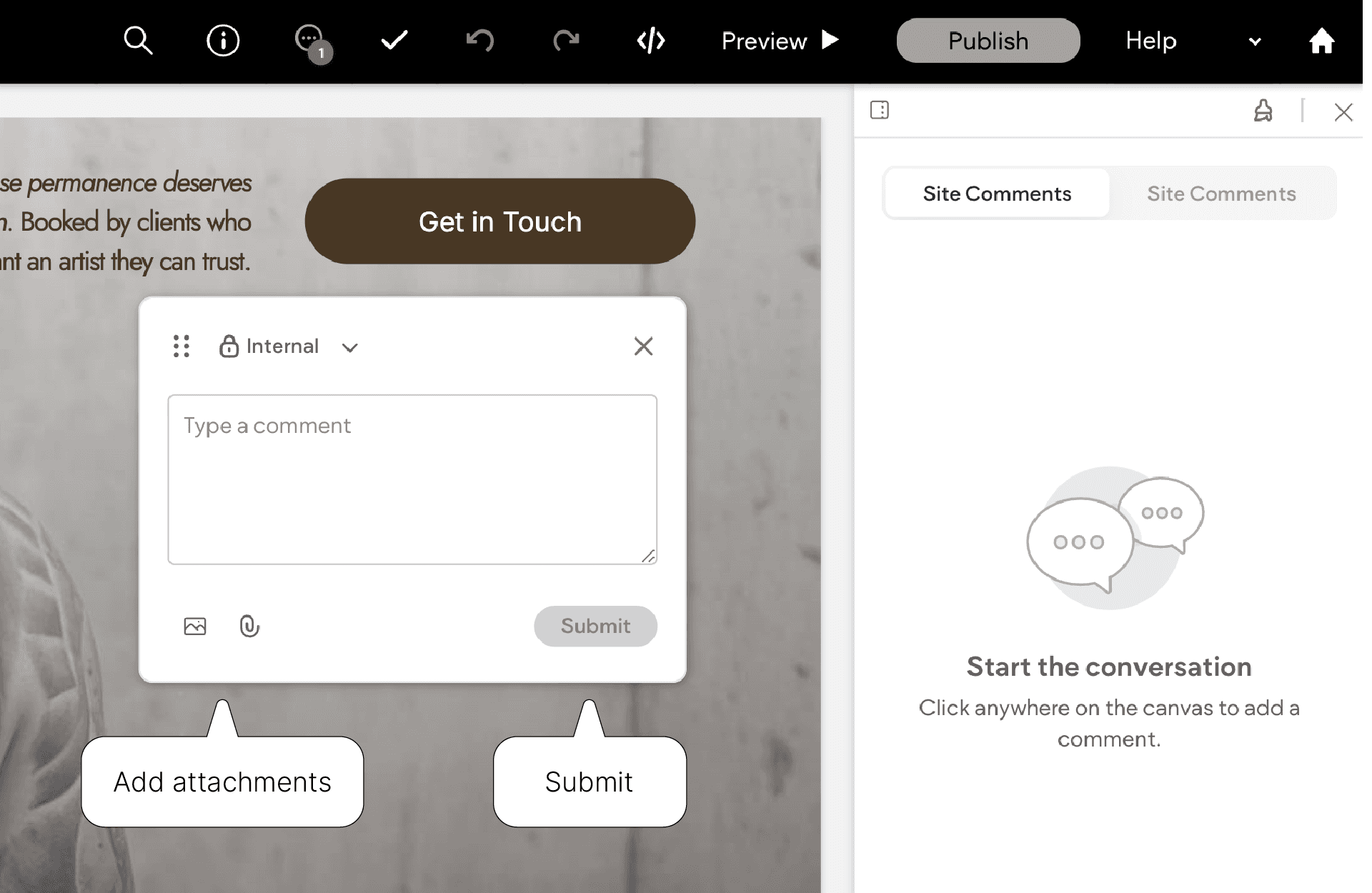
Type a short message explaining the issue
Click Submit
That’s it. We’ll receive it instantly.
When you’re writing your comment, try to keep it direct and specific.
If anything feels confusing, unclear, broken or difficult to change, leaving a comment directly on your site is the fastest way for us to help you. You don’t need to troubleshoot alone.
You can leave as many comments as you need. We’re here to support you and make sure your site looks and works exactly how you want it to.